
Accessing SWCCyou
SWCCyou is the official portal for Southwestern Community College. Login to access vital college information such as academic transcripts, advising information, course schedules, and billing statements.
First time logging in?
Please follow these detailed instructions:
- Enter your user name and password in the indicated areas on the upper right portion of the page. NOTE: If you are viewing this on a mobile device, click on the Menu Icon in the upper right corner of the page to see the login area.
- User Name: Your user name is the front portion of your SWCC email address (ex. SMITH4).
- Password: Your password is your birthdate in SwccMMDDYYYY format (example, birthdate January 24, 1998 your password would be "Swcc01241998")
- Once you have entered your user name and password, click “Login.” (If you are using a public computer, please always remember to log out of your session when finished and if it asks you if you want to save your login information in the browser, say "No").
If you have questions or struggle logging in, please contact the I.T. help desk by calling 641.782.1581 or email
Accessing Your SWCC Email Account
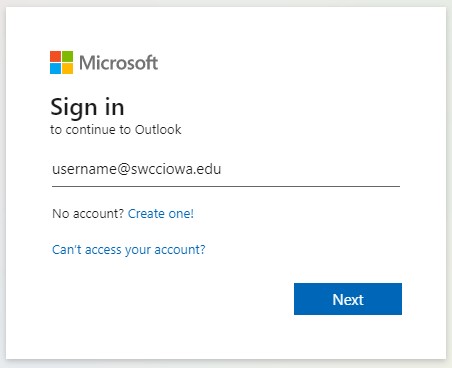 Instructions for Accessing Your SWCC Email Account:
- Go to the SWCC home page at www.swcciowa.edu
- Click on the webmail link at the very top of the page (page that comes up will look like image at right).
- Your username is your full SWCC email address (example:
This email address is being protected from spambots. You need JavaScript enabled to view it. ). - Password: Your password is your birthdate in SwccMMDDYYYY format (example, birthdate January 24, 1998 your password would be "Swcc01241998")
- Click on the "Sign in" button.
Please contact the I.T. help desk by calling 641.782.1581 or email
SWCC's Wireless Network
Most devices (laptops, tablets, phones, etc.) can connect to our wireless network by using the SSID "SWCC Guest". Simply choose this SSID, and then a web page will pop up with a checkbox that needs clicked. Once you have clicked the checkbox you will be connected. Certain smart devices like smart clocks, smart lamps, some TVs, etc. are unable to connect via "SWCC Guest". If you have trouble getting a device connected, please contact us in the IT Department and let us know what device you are having trouble with.
Learning Resource Center/Library
The SWCC library has more than just books and periodicals. The library has a variety of technology equipment available for student use. This includes computers with software required for classes, a laser printer, DVD players, audio recorders, digital video cameras, and computers with music keyboards. The library also provides the LCDs, laptops, document cameras, smart board, and speakers needed to do classroom presentations and projects. Stop by the library, located in the center of the Instructional Center, to see all that they have to offer.